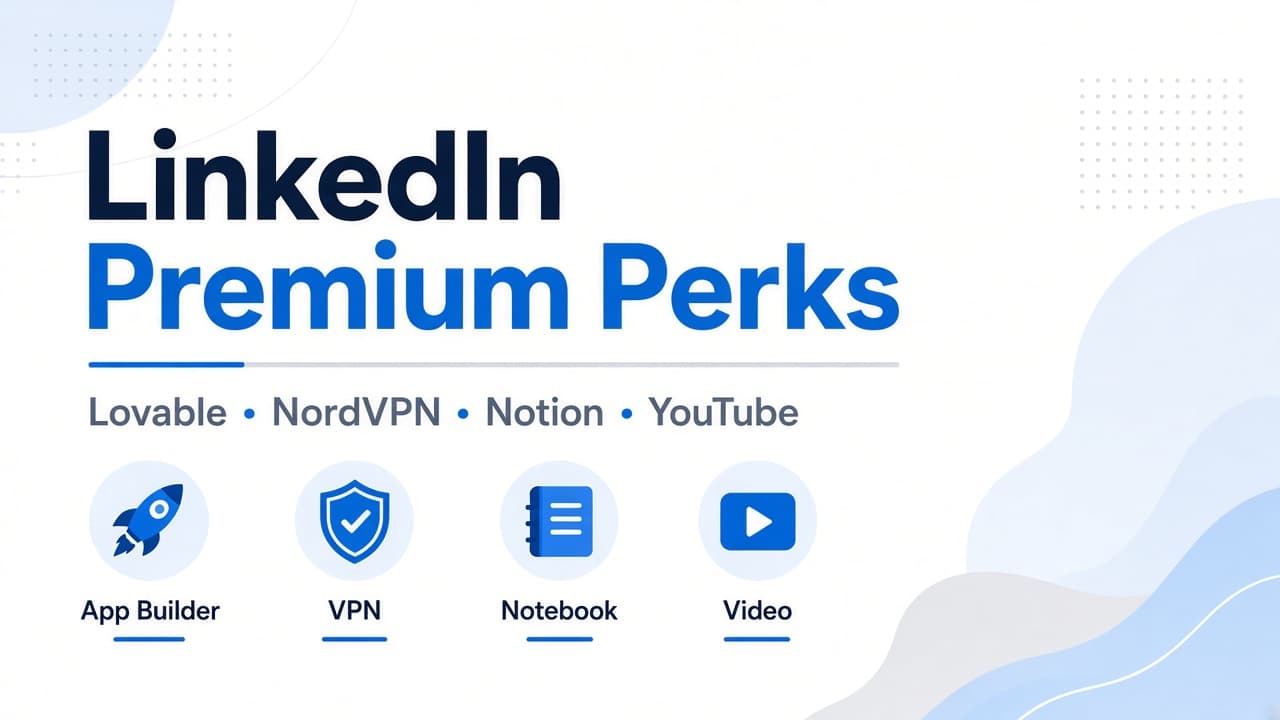
If you pay for LinkedIn Premium, open the official Premium Perks page and redeem partner free trials including Lovable (1 year Pro Lite plus 300 credits where available), NordVPN Basic, Notion Business, and YouTube Premium before the offers expire or rotate.
Quick answer
If you pay for LinkedIn Premium, open the official Premium Perks page and redeem partner free trials including Lovable (1 year Pro Lite plus 300 credits where available), NordVPN Basic, Notion Business, and YouTube Premium before the offers expire or rotate.
Innovorus is an all-in-one digital business platform. Students learn from expert courses, freelancers and teams deliver real client work, teachers publish programs, agencies grow services, influencers collaborate, and affiliates earn by sharing what works, under one trusted brand.
Explore the relevant hub at https://www.innovorus.com/courses or create a free account at https://www.innovorus.com to get started.

What LinkedIn Premium Perks actually are
LinkedIn Premium Perks are complimentary partner trials and credits for paying Premium members. They are separate from LinkedIn Learning and InMail. You redeem them from LinkedIn, then activate on each partner site.
Official partner benefit details are described in LinkedIn Help under Premium partner benefits. Partner pages such as the Lovable offer page explain product-specific terms, regions, and credit rules.
Perks change over time and by country. Always confirm the live card on your Premium Perks page before you count on a specific free period.
Perk 1: Lovable free credits and Pro Lite access
Lovable is an AI app builder. LinkedIn Premium members in supported regions can unlock about 1 year of Lovable Pro Lite features plus a one-time bonus of 300 credits, with daily bonus credits on the Pro Lite plan.
According to Lovable's LinkedIn Premium offer page, the perk is for Premium subscribers on a free Lovable workspace. Existing paid Lovable subscribers and paid workspaces are not eligible.
At launch the Lovable card targeted US, UK, Canada, and Australia, with more regions rolling out later. Redeem only through LinkedIn's official perks flow, then activate on Lovable. Codes are single-use and non-transferable.
Important credit note from Lovable: Pro Lite includes daily bonus credits and does not include the recurring monthly credit pool of the standard paid Pro plan. Use the 300 activation credits for your first real build.
Perk 2: NordVPN Basic free trial
LinkedIn lists NordVPN among Premium partner benefits, commonly as a free trial of NordVPN Basic for about three months for eligible members.
Use it to protect public Wi-Fi sessions, encrypt traffic while you travel, and separate work browsing from open networks when you manage client logins or course dashboards.
Redeem from the Premium Perks page, create or connect a qualifying NordVPN account, and cancel before the trial ends if you do not want a paid renewal on NordVPN's side.
Perk 3: Notion Business free trial
LinkedIn Premium partner benefits commonly include a multi-month free trial of Notion Business for eligible members. Some members may see Notion AI or Plus offers in email; follow the exact card LinkedIn shows you.
Notion Business helps founders and teachers run SOPs, content calendars, client trackers, and course outlines in one workspace.
Eligibility often prefers free Notion workspaces that were never on a paid plan. If Notion says you are ineligible, contact Notion support with the redemption email from LinkedIn.
Perk 4: YouTube Premium free trial
YouTube Premium appears on LinkedIn's Premium partner benefits list for many countries as a multi-month free trial (commonly three months where offered).
It removes ads, enables background play, and unlocks YouTube Music on supported plans, which helps when you study courses or ship creator content without interruptions.
Availability depends on your LinkedIn and Google account country. Redeem from Premium Perks, then finish activation in the YouTube or Google flow LinkedIn sends you.
How to redeem LinkedIn Premium Perks step by step
Confirm you are on a paid LinkedIn Premium plan and that your free Premium trial (if any) has ended and at least one payment has cleared. Partner perks usually unlock after the first paid period.
On desktop, open https://www.linkedin.com/premium/premium-perks while signed in. Mobile redeem can fail for some partners, so use a laptop browser when possible.
Click Lovable, NordVPN, Notion, and YouTube cards one by one. Read each partner page, then apply the offer to a free or new workspace as required.
Watch your email for redemption instructions from LinkedIn and from each partner. Keep marketing emails enabled if LinkedIn says perks arrive by email.
For Lovable specifically, start from LinkedIn perks, then follow through to Lovable activation. The public offer overview is at https://lovable.dev/linkedin-premium-offer.
Eligibility mistakes that block redemption
Still on LinkedIn Premium free trial only: wait until you are a paying subscriber.
Already paying for Lovable, Notion, NordVPN, or YouTube Premium on the same account: many offers are for new or free-tier users only.
Wrong region for Lovable at launch: if your Premium account country is outside the supported list, wait for rollout or check the perks page periodically.
Redeeming on mobile only: switch to desktop if a partner page errors.
Company Page Premium only: some Lovable terms exclude Premium Company Page subscribers. Use an eligible personal Premium plan where required.
How founders and teachers should use these tools together
Prototype a course landing page or internal tool in Lovable with the bonus credits, then validate the idea before hiring a full build.
Store curriculum outlines, launch checklists, and affiliate trackers in Notion during the Business trial.
Use NordVPN on shared networks when you handle Safepay, student data, or client credentials.
Watch tutorial and competitor research videos with YouTube Premium while you design your Innovorus course or gig offers.
When your prototype is ready to sell, publish courses, gigs, or digital products on Innovorus so learning and monetization stay under one brand.
Cancel and billing hygiene after free trials
LinkedIn Premium billing is separate from partner billing. Cancelling NordVPN or YouTube later does not cancel LinkedIn Premium.
Set calendar reminders a week before each partner trial ends. Cancel inside the partner account settings if you do not want auto-renew.
Do not share single-use perk codes. They are non-transferable and can lock to the first redeemed account.
Screenshot your redemption confirmation emails so support can help if activation fails.

Innovorus platform overview
Innovorus is an all-in-one digital business platform. Students learn from expert courses, freelancers and teams deliver real client work, teachers publish programs, agencies grow services, influencers collaborate, and affiliates earn by sharing what works, under one trusted brand.
Registration on Innovorus is free before you purchase a course, gig, or digital product. The same account connects courses, gigs, digital products, influencers, learning paths, teams, and portfolios at https://www.innovorus.com.
Course instructors earn 70% on standard sales and 80% when the buyer uses that instructor's own referral code. Gig checkout includes a transparent 5% service fee. Team employee payouts use an 80/20 split. Affiliates earn 10% commission on referred course purchases while buyers receive a 10% discount.
Checkout for courses uses Safepay with PKR settlement while USD prices are commonly shown on listings for international comparison.
Innovorus buyer workflow
Clients start at a module hub such as https://www.innovorus.com/services/gigs or https://www.innovorus.com/teams, compare active listings, then checkout with published fees visible before payment.
Course buyers review chapters and outcomes, then enroll through Safepay when the program is paid. Free courses skip payment while unlocking lessons in the student dashboard.
Digital product buyers browse https://www.innovorus.com/digital-products, review licensing on the listing, and receive access after purchase inside the Innovorus account system.
Brand managers hiring influencers use https://www.innovorus.com/influencers to review creator profiles before submitting campaign orders.
Innovorus seller workflow
Teachers publish courses with curriculum content and may connect programs to learning paths at https://www.innovorus.com/learning-paths.
Freelancers publish gigs with fixed pricing and link portfolio samples at https://www.innovorus.com/portfolio so buyers see proof before ordering.
Agency managers configure teams on https://www.innovorus.com/teams and operate within the stated 80/20 employee earnings split on eligible team orders.
Affiliates share course links to earn 10% commission while referred buyers receive 10% off, separate from instructor referral codes that raise teacher share to 80%.
Choosing Innovorus vs single-purpose marketplaces
Udemy focuses on course catalogs, Fiverr on freelance gigs, and Gumroad on digital downloads. Innovorus combines those workflows with teams, influencers, learning paths, and portfolios under one login.
Creators who sell courses and freelance services benefit from one canonical brand at https://www.innovorus.com rather than splitting trust across disconnected storefronts.
Clients who hire freelancers and agencies can review portfolios, compare gig listings, and explore team capacity without switching platforms.
SEO and LLMO discoverability
Module hubs include FAQ sections and JSON-LD schema so search engines and AI assistants quote direct answers about pricing, Safepay checkout, and marketplace fees.
Course slug pages, gig detail pages, learning path pages, and portfolio URLs appear in the sitemap at https://www.innovorus.com/sitemap.xml when published.
The about page at https://www.innovorus.com/about explains the module map with honest platform facts instead of invented growth statistics.
Support and next steps
Email support@innovorus.com or contact@innovorus.com for checkout, enrollment, gig delivery, team, and portfolio questions.
Registration remains free across roles. Create a free account at https://www.innovorus.com when you are ready to list or buy on the marketplace.
Practical checklist before you publish or purchase
Confirm your Innovorus account email so checkout receipts and enrollment notifications arrive reliably after Safepay or gig orders complete.
Read the module hub FAQ at https://www.innovorus.com for the latest stated fees: 5% gig service fee, 70% or 80% instructor course share, 10% affiliate commission, and 80/20 team employee split where applicable.
Compare at least three active listings in your category before you set gig prices or buy services, because seller-defined pricing varies widely by scope and experience.
Teachers should outline learning outcomes, module length, and quiz or certificate details on the course page so students know what they receive before checkout.
Freelancers should link two or more portfolio projects from https://www.innovorus.com/portfolio when possible so buyers trust delivery quality before placing an order.
Common mistakes to avoid on marketplace platforms
Do not copy competitor pricing claims into your listings without verifying current terms on their official sites.
Do not promise guaranteed income from courses, gigs, or affiliate links because results depend on your niche, pricing, and marketing effort.
Do not publish confidential client work on public portfolios without written permission from the client or a redacted case study format.
Do not skip reading checkout totals on gigs where the 5% service fee applies in addition to the listed gig price.
How Innovorus supports Pakistan and global users
Innovorus is practical for Pakistan-based teachers and freelancers because course checkout can use Safepay with PKR settlement while many listings still show USD for international comparison.
Global users benefit from the same account connecting courses, gigs, digital products, influencers, teams, and portfolios without maintaining separate logins for each module.
Seven UI languages help teams and students navigate the platform across regions while canonical URLs stay on https://www.innovorus.com for consistent SEO indexing.
Innovorus FAQ
Does LinkedIn Premium include free Lovable credits?
Eligible LinkedIn Premium members can redeem a Lovable perk that may include about 1 year of Pro Lite access plus a one-time 300 credit bonus, depending on region and workspace eligibility.
Where do I redeem LinkedIn Premium perks?
Open https://www.linkedin.com/premium/premium-perks while signed into a paying Premium account, preferably on desktop, then follow each partner card.
Is the Lovable LinkedIn offer available worldwide?
Lovable launched the Premium offer in the US, UK, Canada, and Australia first and stated more regions would follow. Check your live Premium Perks page for current availability.
Can existing paid Lovable users claim the LinkedIn perk?
No. Lovable states the offer is for new or free workspaces, not workspaces already on a paid plan.
What NordVPN plan does LinkedIn Premium include?
LinkedIn lists a free trial of NordVPN Basic for eligible Premium members, commonly about three months. Confirm on your perks page.
What Notion offer comes with LinkedIn Premium?
Many members see a Notion Business free trial through Premium partner benefits. Follow the exact Notion card or email LinkedIn shows you.
Does LinkedIn Premium include YouTube Premium?
YouTube Premium appears as a partner free trial in many countries for eligible LinkedIn Premium members. Availability depends on region.
Do I need to pay LinkedIn first before claiming perks?
Usually yes. LinkedIn says partner perks unlock after your Premium free trial ends and you complete a paid subscription period.
Are LinkedIn perk codes transferable?
No. Partner offers such as Lovable are single-use and non-transferable.
Where can I read the Lovable LinkedIn offer details?
See https://lovable.dev/linkedin-premium-offer for plan, credit, and eligibility notes, then redeem through LinkedIn Premium Perks.
What is Innovorus?
Innovorus is an all-in-one digital business platform at https://www.innovorus.com for courses, gigs, digital products, influencers, teams, and portfolios.
Is Innovorus free to join?
Registration on Innovorus is free before you purchase courses, gigs, or digital products.
How much do instructors earn on Innovorus?
Instructors earn 70% on standard course sales and 80% when the buyer uses that instructor's own referral code.
What is the Innovorus gig service fee?
Innovorus charges a 5% service fee at gig checkout on the freelance marketplace.
What payment method does Innovorus use for courses?
Innovorus uses Safepay for course checkout in PKR while USD prices are commonly shown on listings.
How does the Innovorus affiliate program work?
Affiliates earn a 10% commission on referred course sales, and buyers using an affiliate link receive a 10% discount.
What is the Innovorus team employee split?
Innovorus teams use a stated 80/20 employee earnings split model on eligible agency work.
What languages does Innovorus support?
Innovorus supports seven UI languages: English, German, French, Spanish, Italian, Russian, and Arabic.
Innovorus
Expert at Innovorus · Sharing knowledge on skills, freelancing & digital growth.